A blog is one of the most powerful weapons in digital marketing. By creating a blog, you get the chance to build quality content on a range of topics that captures your readers' interest. In this article, we reveal the details, straight from the professionals, on how to start a blog that's interesting and read by thousands of visitors every month.
How to start a blog?
Every topic you cover on your blog is like casting a hook into the water — the more articles you write, and the higher their quality, the more you increase the chances that users will find and read what you've written. If you build your blog well and write original, useful, interesting articles that inform your users, you can build an audience you can work with — in other words, turn part of your blog's visitors into customers.
Here are the steps in brief:
- Research and build core keyword clusters
- Create topic clusters to write about
- Plan your content (at least three months ahead)
- Choose the right platform (WordPress)
- Design a logo and brand colors for your blog
- Buy a suitable domain
- Buy a suitable hosting plan
- Build your blog's visual design
- Create and publish content
- Promote your content
- Improve your blog's content based on feedback
- Create new content...
Starting your own blog can sometimes seem hard and intimidating, but with the help of this guide you'll discover there's nothing scary about building a blog yourself. You don't need tons of computer skills — just the basics. So whether you're 8 or 88, you can create your own blog in under 20 minutes. In this article we'll walk you through the most important steps, and point out the most common mistakes to avoid when building a blog. Learn quickly and easily how blogs are made.
First, what does "blog" actually mean?
According to the textbooks, a blog is a website focused mainly on written content. Now let's put it more simply: a blog is a website like any other, where written posts and discussions on various topics take center stage. Today, well-known examples of blogs include news sites, sites covering sports events, and celebrity gossip sites. In practice, you can launch a successful blog on almost any topic. What's unique is that bloggers almost always write from their own point of view, which lets them connect better with their readers. Many blogs have a comments section where readers can interact directly with the blogger. Good communication with readers helps shape a stronger bond between the blogger and their audience. One of the main advantages of starting a blog is that direct connection with readers — it lets you communicate freely, share your opinion on topics you care about, and find other like-minded people.
Why start your own blog?
Now that you know what a blog is, it's time to understand why you need one. Here are a few compelling reasons:
To find a community
Blogs are interactive! You write a post, publish it, and people comment on it. It's a great way to connect with people who share your interests. A blog lets you teach people what you know how to do, but it also gives you the chance to learn from your readers. The best part — talking about the topics you're passionate about!
To share a story
What a blog gives you is a voice, and the chance to be heard. Share your story with the whole world — literally. One of the most common uses of blogs is as a journal, where the blogger records their day-to-day experiences so that family, friends, acquaintances and strangers alike can be part of their life. Many travelers, for example, run well-known travel-diary blogs.
Recognition for you or your business
Paparazzi probably won't start following you just because of your latest blog post. But it is a fact that a successful blog can earn you recognition and respect in your field. Many bloggers are known as experts in their area purely because of their blogs, and some have even landed book and film deals as a result.
Make money from home
A blog can be quite profitable if done right. The world's top bloggers earn substantial sums, but even those who work just a few hours a day can turn a decent profit. The best part is that blogs are a form of passive income — meaning you can spend just a few hours a week writing your blog post, publish it, and keep earning from it for a long time afterward. That requires building trust and loyalty with your readers. Later in this article we'll explain in more detail how to make money from a blog.
Will I be able to handle being a blogger?
The first step is to trust the right company for website development. Everyone struggles with this turning point before starting something new. One of the most mistaken beliefs about blogging is that you need to be a great writer to build a successful blog. That couldn't be further from the truth! People read blogs to get a personal take on the topics that interest them, and what they love is that bloggers write in a conversational, informal, easy-to-understand style. You don't need to be an expert to run a successful blog. For example, readers of a recipe blog don't want to read a textbook about nutrition. They want to learn from someone who's actually cooked real dishes, what mistakes they made, and what tips they've picked up along the way.
To succeed with a blog, you really only need one thing — passion for the topic you've chosen! The main goal of blogging is to share your knowledge with the world. Choosing a topic you're passionate about makes the process of launching a successful blog much easier. Writing about more than one topic isn't complicated either, as long as you write about things that genuinely interest you. It's exactly that passion that will shine through and keep your readers engaged!
The good news is that the internet is more "populated" than ever right now. Many people are online for most of their day, which means only one thing — more potential readers for your blog! In short, if you're thinking about starting your own blog, there's no better time than now.
How to create your blog in 6 easy steps
Time to learn how to build a blog in 20 minutes, following these easy steps:
- Choose your blog's name — it should be something descriptive.
- Get your blog online — register your blog and host it.
- Customize your blog — pick a free theme and refine it.
- Write & publish your first post — the fun part :)
- Promote your blog — get more people reading it.
- Make money while blogging — pick a few options that will bring in revenue.
Let's launch your blog!
Step 1 — Choose a name for your blog
The first step to launching a successful blog is picking a topic. If you're still undecided, here are a few ideas:
- Hobbies and interests — a hobby is an interesting topic, and if you truly put your full passion into it and enjoy doing it, it can be a great starting point. It could be cooking, travel, fashion, sports, cars, or something entirely different. Remember, even blogs about less well-known hobbies can still become successful, since your audience is literally the entire internet.
- Life experience — everyone has lessons they've learned from life. Sharing your knowledge can be helpful for others who find themselves in a similar situation. Examples include blogs for mothers with children, various workplace experiences, how you dealt with an illness or an addiction, or describing happy moments — a wedding, the birth of a child, and so on.
- A personal blog — as the name suggests, this kind of blog is all about you. You can cover anything from your day-to-day life to your moments of reflection and passion. A personal blog is a great way and opportunity to share what you think with a large audience — and you don't even have to stick to just one topic.
As soon as you've chosen your blog's topic, it's time to pick its name. A good blog name needs to be descriptive, so that potential readers immediately understand what it's about. If your topic is specific, you should definitely work it into the name somehow. But don't limit yourself to just one word! For example, if you're building a cooking blog, the word "cooking" doesn't have to appear in the name — you can use synonyms like "food," "recipes," "dishes" and so on. This way you'll still let readers know it's a cooking blog.
Now let's look at names for personal blogs. Since these cover many different topics, it's a good idea to use your own name, a variation of it, or your nickname. For example, if your name is Peter Georgiev, you could simply call it "Peter's Blog," or include your middle name if the plain version is already taken.
Once you've planned your blog's name, it's time to choose a domain extension. That's the well-known .com, which is the most popular — and often already taken. If that's the case for you too, good alternatives are .net or .org. In its final form, your domain would look something like this: yournameinlatin.com. Remember that a domain name can't contain spaces and must be written in Latin letters!
Once you've come up with a name and chosen a domain extension, it's time to check whether the address is available. Note: you can't use spaces or punctuation marks in your blog's domain name, except for hyphens!
What should you do if the name you want is already taken? Don't rush to give up on it. First, try changing the domain extension — if .com is taken, try .net, .org, .bg and others. Add small words or endings, like "my" or "the." In that case your domain might look like TheBlogOfPeter.com instead of BlogOfPeter.com. You can always use a hyphen too, for example peter-georgiev.com.
Step 2 — Get your blog online
Once you've chosen a name for your blog, it's time to publish it online. This might sound like a complicated task, but with our help we'll walk you through the entire process step by step and make it as easy as possible.
To launch and run your blog, you need two things: blog hosting and blogging software. The good news is they usually come bundled together. Blog hosting is a company that stores all your blog's files and serves them to a user whenever they type in your blog's name — you need hosting to have a blog at all. The software lets you build and customize your blog. In this guide, you'll learn how to build your first blog on the well-known, easy-to-use WordPress platform.
The hosting provider we recommend is SuperHosting. Their platform is easy to use and well suited to beginner bloggers, since they offer WordPress installation directly through their WordPress Manager.
Initial WordPress installation via SuperHosting
If you don't already have WordPress installed, you'll need to install it. That's quick and easy with the manager provided by SuperHosting. First you need to enter the basic information for your blog:
- Protocol — choose https:// or https://www
- Domain — select a domain name from the dropdown menu
- Install in your chosen directory — it will install automatically in your domain's directory, or create a subdirectory named wp
- Site name — enter your blog's title here
- Description — enter a short description of your blog
- Choose a language
You can change the site's name, description and language later, after installing WordPress, from Settings → General.
Next comes the admin panel setup:
- Username — choose your own username if you don't want to use the default one
- Choose your password — use a strong password for logging into the admin panel, combining uppercase and lowercase letters, numbers and symbols
- Email address — enter the administrator's email, meaning yours
You can change the admin settings after installing WordPress from the "Admin Data" menu. The next field holds additional options that are already filled in by default — leave them as they are for now.
Before starting the actual WordPress installation, you'll be asked to choose a theme. Even if you don't select one now, a default theme will be applied, and we'll show you further below in this guide how to change it. Once the installation succeeds, you'll see a message reading "Congratulations, WordPress has been installed successfully." To log in automatically to your blog's admin panel, type yourblogname.com/wp-admin into your address bar.
Step 3 — Customize your blog
Log into your account. If you're not already logged in, go to superhosting.bg and click "Login" in the top-right corner. Enter your domain name and password to log into your profile. Once logged in, the system will take you to your SuperHosting portal, from where you can click "Log into WordPress" to be logged into your blog automatically.
Change your blog's design. You're now in the WordPress admin area. Here you can make any changes to your blog. Everyone has a different idea of how their blog should look. One of the great things about WordPress is that you can change the entire design and layout with just a few clicks. Your blog's layout lives in the "Themes" menu.
What is a blog theme? Themes control your blog's entire design. To change your theme, click the "Appearance" section in the left-hand menu. You'll see several themes already installed on your blog. These are pre-built, polished themes that blend perfectly with any type of blog — in fact, some of the world's best bloggers use one of the themes offered here.
Unless you're after something very specific design-wise, we'd suggest choosing one of the themes offered here as a starting point. For our example, we'll use the theme "Twenty Sixteen." To activate your theme, hover your mouse over it and click the "Activate" button. Done! You've just changed your entire new blog's design with a single click!
If you don't like any of the already-installed themes, you can easily pick a different free one. To install a new theme, click "Appearance" on the left, then click "Add New Theme." You'll reach the theme browser, where there are literally thousands of themes to choose from. You can change your blog's design at any time simply by activating a new theme. To find a theme you like, click the "Popular" tab and browse. When you find a theme you like, click the blue "Install" button. Once the theme installs, click "Activate" to apply it to your blog. To see the new theme in action, go to your blog and take a look! Changing your theme is the easiest way to customize your blog.
Step 4 — How to write and publish your first post
Now that your blog is up and running, it's time for some real blogging! In WordPress, go to the menu on the left and click "Posts." You'll notice there's already a published post — that's the default post that comes with every new WordPress blog. Delete it using the "Trash" button located just below the post.
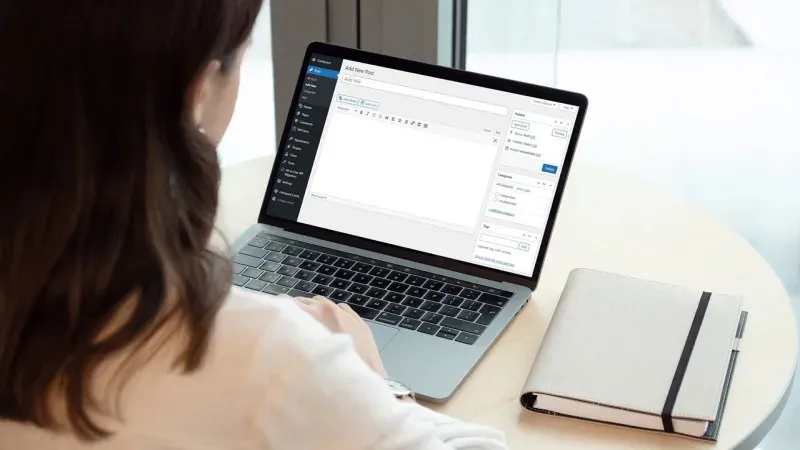
To start writing your new post, click the "Add New" link. You're now on the post-editing screen. Enter your post's title in the top field, then start writing your content in the field below. If you'd like to add a photo to your post, click the "Add Image" icon and click "Upload" to upload a photo from your computer. You can adjust the image size on the next screen that appears. When you're ready, click "Insert into post" to add the photo to your post. Once you've written your post, simply click the "Publish" button at the top of the screen to publish it.
Publishing your blog. Even after publishing your post, your blog may still not be visible to others and may show a "Coming Soon" page. When you're ready to make your blog public, go to the "SuperHosting" menu in the top-left corner of the admin area, then click the blue "Launch" button to remove the "Coming Soon" page. Congratulations! You now know how to launch your own blog and publish content on it!
Step 5 — Promote your blog
Building a well-designed blog and writing engaging content is only the beginning. To attract more readers to your blog, you'll need to spend some time promoting it — especially if you're just starting out.
One of the best-known ways to find readers for your blog is through social media. You need to post a link to your blog on profiles like Facebook and Twitter. This is a great way to attract readers, because not only do all your friends see the link, but it spreads further through friends of friends as soon as someone shares it. If you publish high-quality content on your blog, social media is a fantastic way to make your blog wildly popular.
Beyond looking for new readers for your blog, you need to make sure your regular readers keep coming back. This is where email marketing comes in. By collecting your visitors' email addresses (with their consent, of course), you can notify them every time you publish something new on your blog. This will keep bringing people back to your blog — which in turn not only gives you a large number of readers, but also lets you build a relationship with them.
Step 6 — Make money while blogging
After putting in the work to create great blog content and promote your blog, making money turns out to be the easy part. There are several ways you can make money from your blog, from selling your own products or services, to getting paid to publish reviews of various products on your blog. But the easiest of all is selling ad space. Once your blog is popular, advertisers will come looking for the chance to advertise with you. The best way to take advantage of this is with the help of Google AdSense. They'll find advertisers for you, and all you have to do is place the code provided by Google AdSense on your blog. Ads will then appear in certain spots throughout your blog. The great thing about Google AdSense is that it does all the heavy lifting, while you simply host the ads. In the end, you'll receive a payout.
We hope this has helped
It's time for a final word. We hope this comprehensive guide has helped you with the task of building your own blog. As you can see, creating a blog doesn't require a lot of knowledge or computer skills. All you need is the desire and passion for a topic you enjoy writing about — the rest takes care of itself!